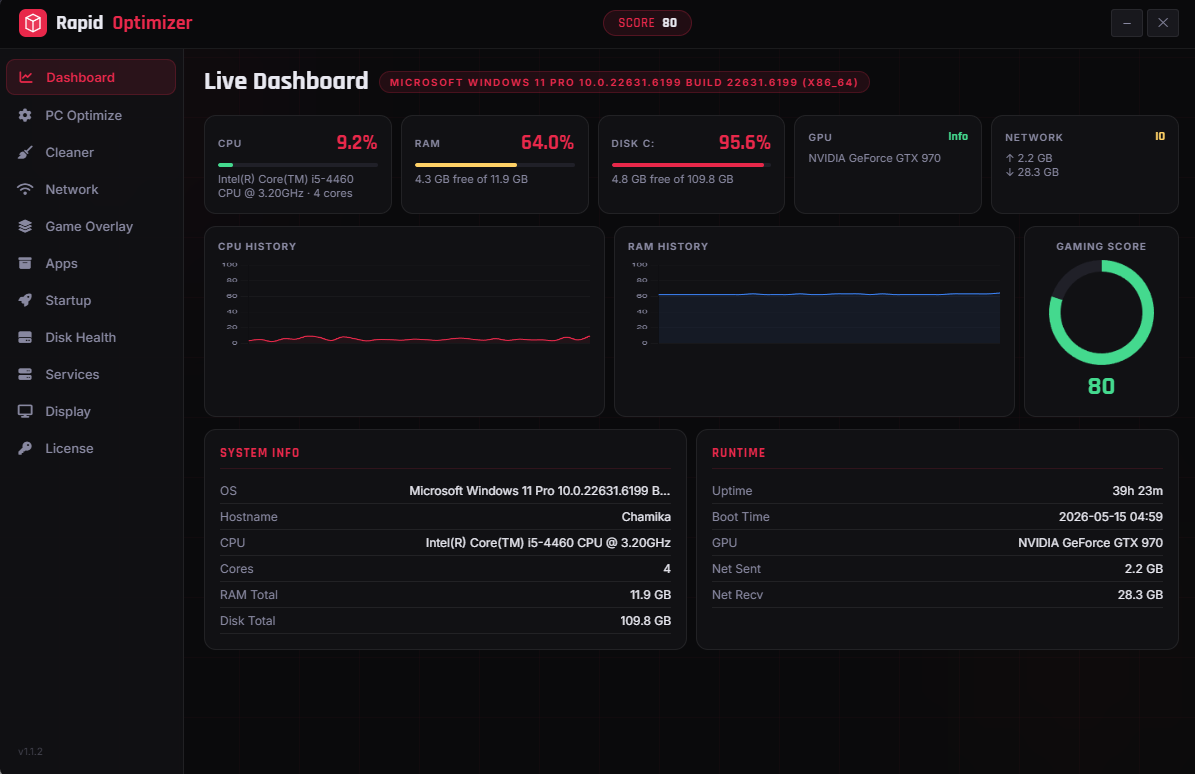
Real-time CPU, RAM, Disk, GPU, and Network I/O with animated charts updated every 2 seconds. Gaming score indicator shows system health at a glance.
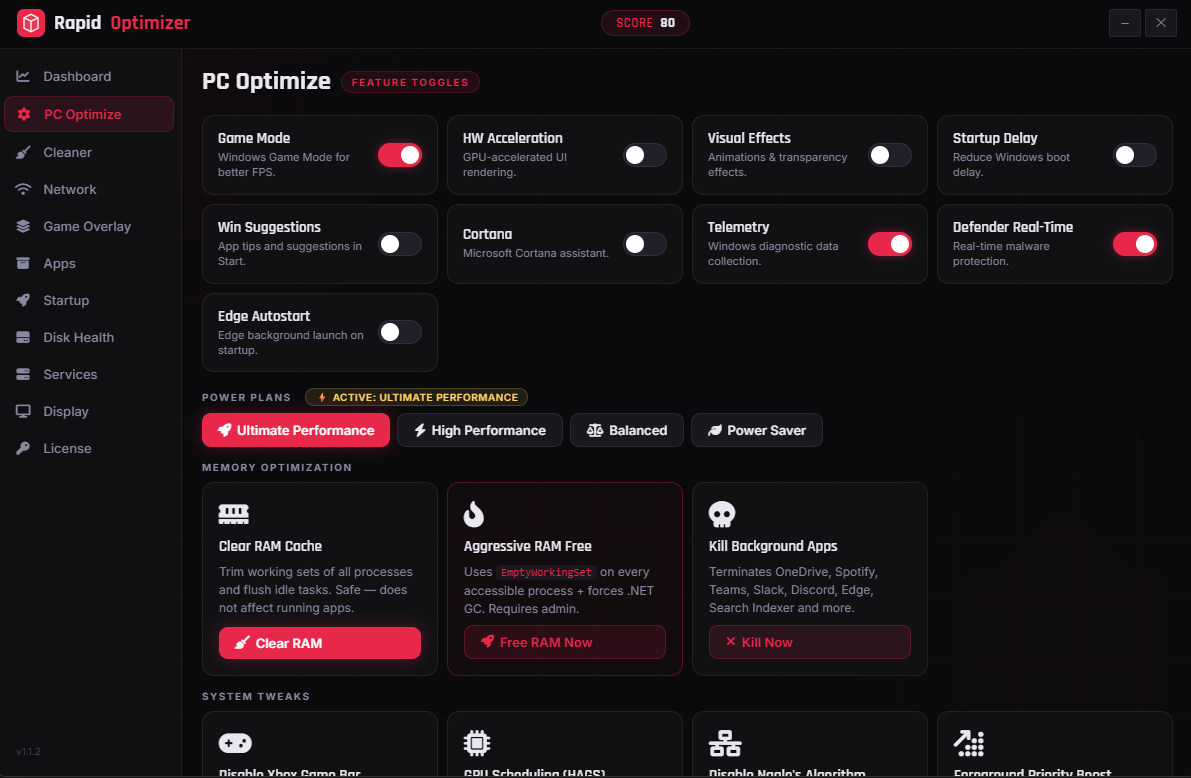
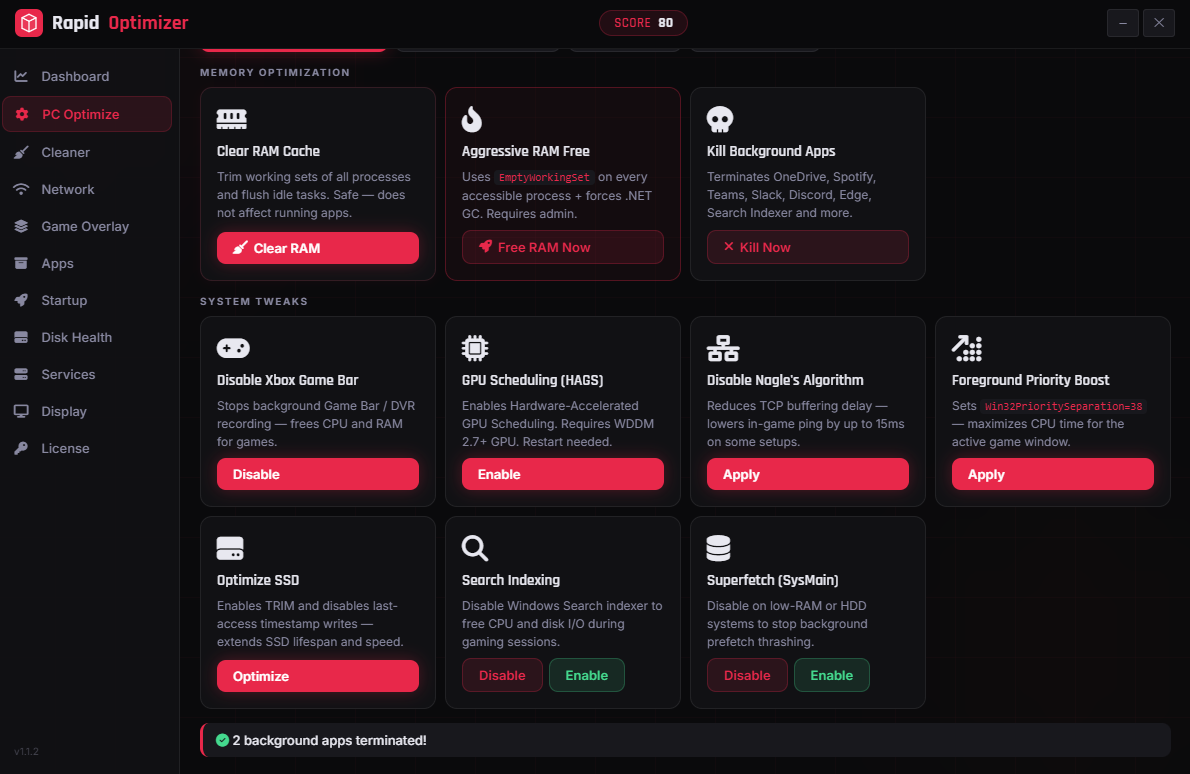
Toggle Game Mode, Telemetry, Cortana, Visual Effects. Switch power plans — Balanced, High Performance, Ultimate Performance. Kill background apps instantly.
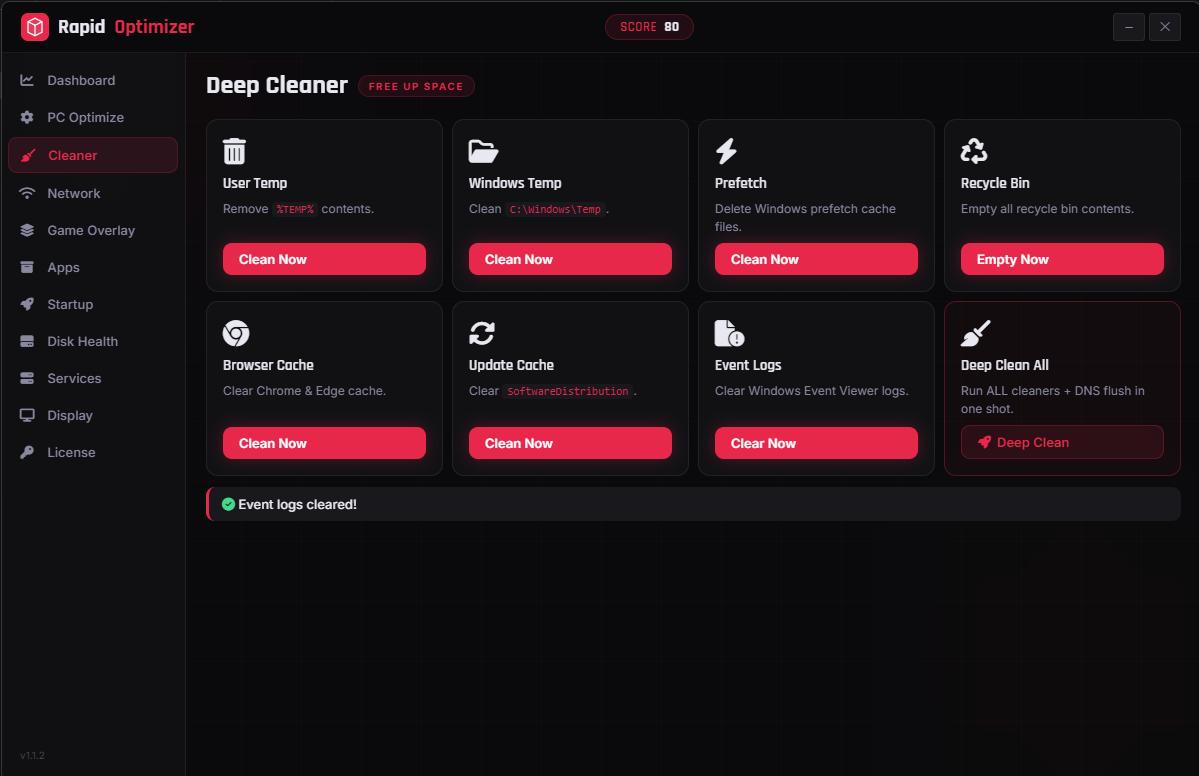
Free disk space with one click. Cleans user temp, Windows temp, prefetch, recycle bin, browser cache, update cache, and event logs. Deep Clean All runs everything at once.
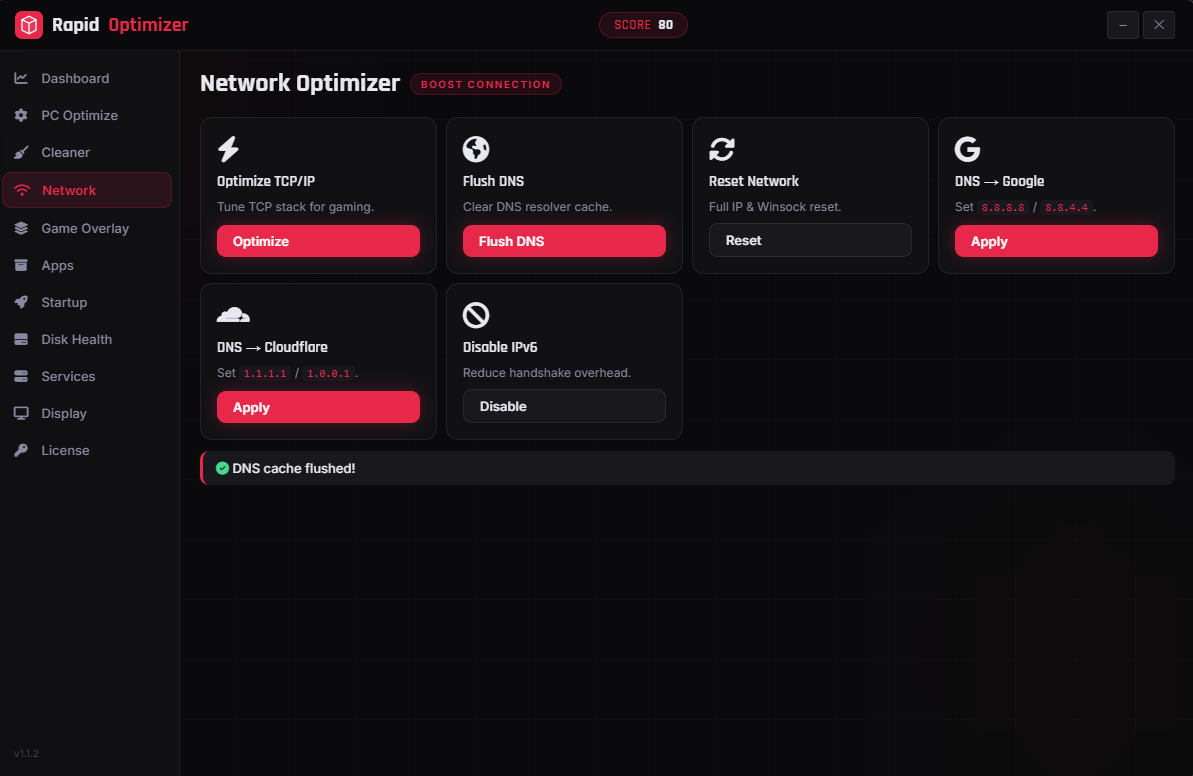
Tune TCP/IP for low-latency gaming, flush DNS, full Winsock reset. Switch to Google or Cloudflare DNS in one click. Disable IPv6 to reduce handshake overhead.
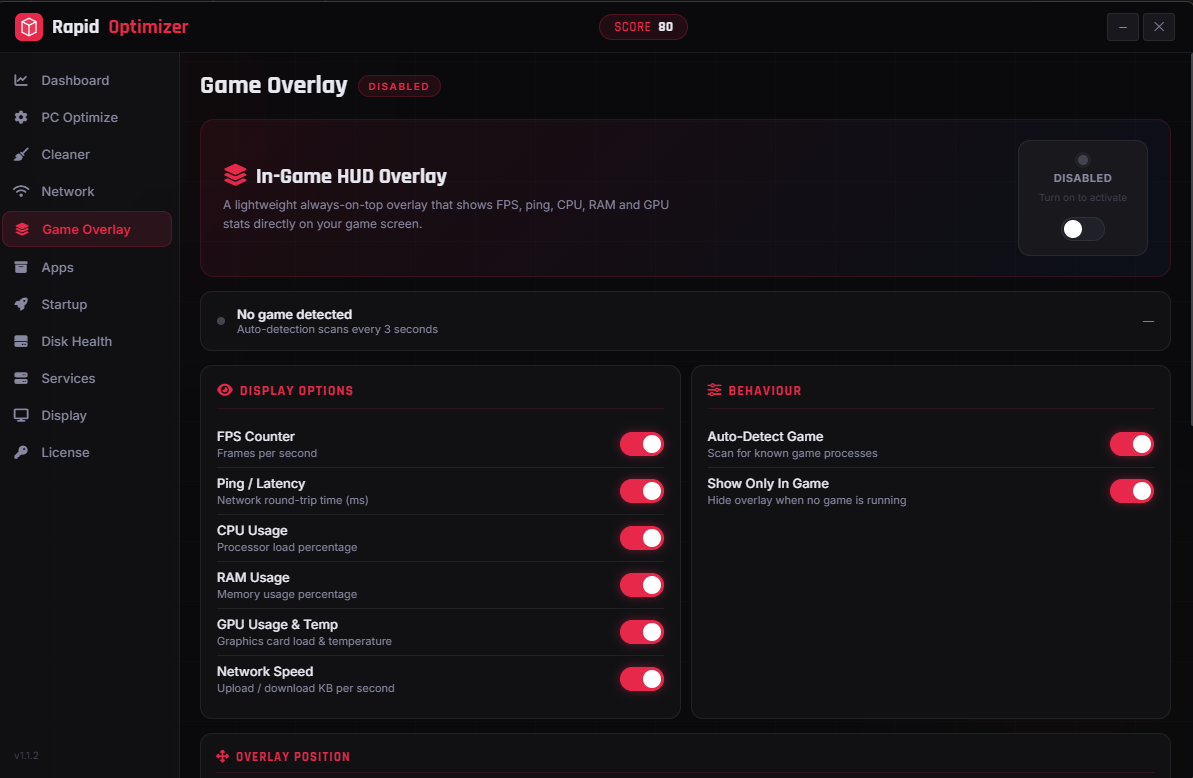
Transparent always-on-top panel showing real FPS via Windows ETW, ping, CPU, RAM, GPU usage and temperature, and network speed. Auto-detects 50+ popular games.
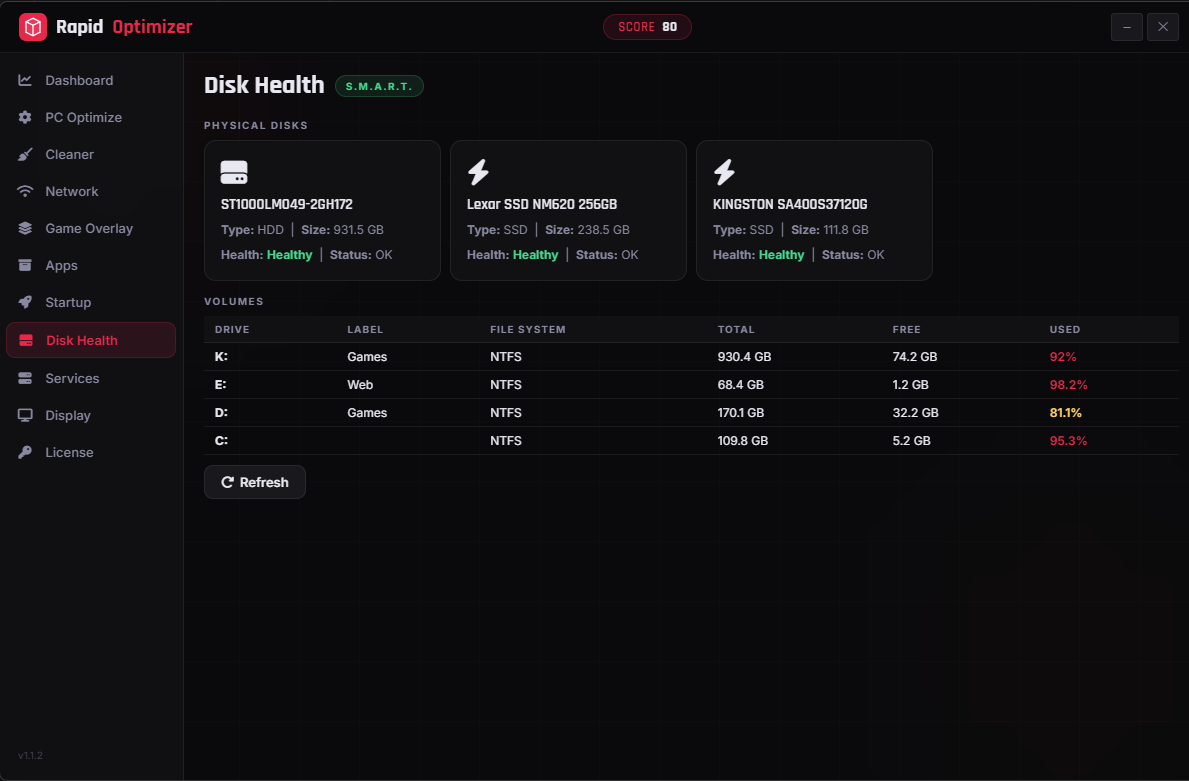
S.M.A.R.T. monitoring for all physical disks. See health status, volume usage, file system info, and get instant alerts when drives show signs of trouble.
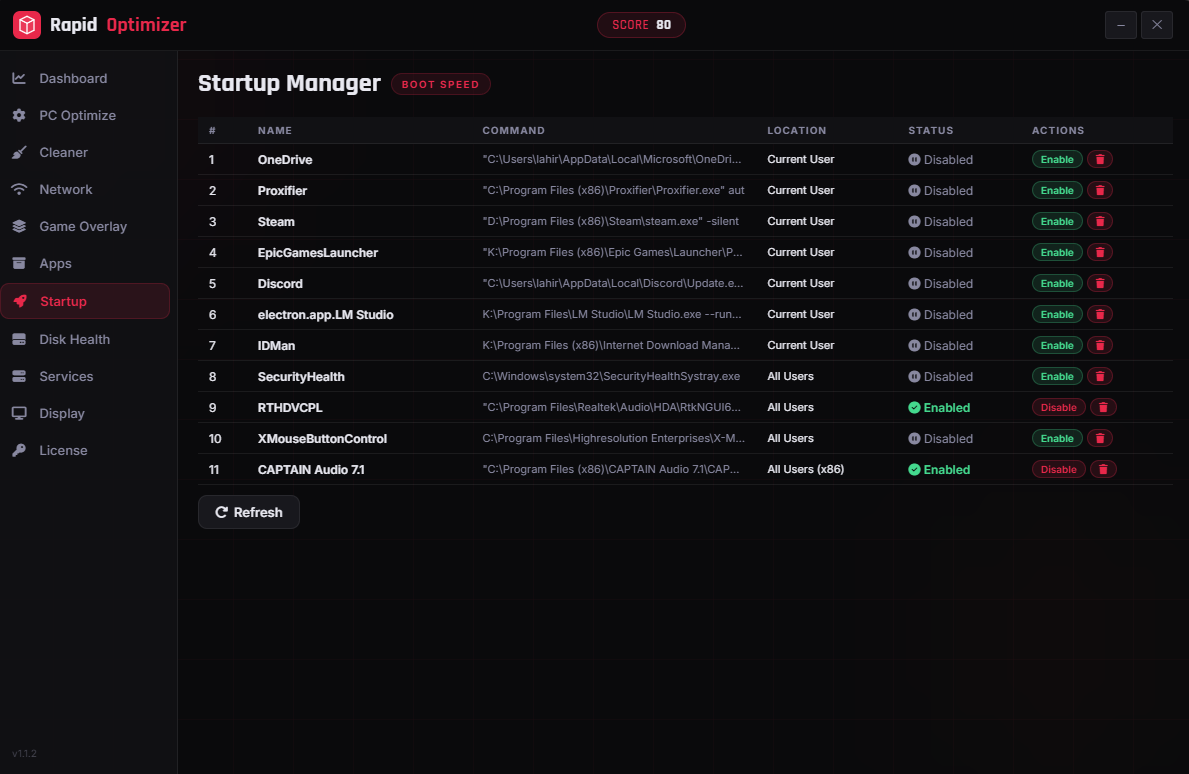
View and control every startup entry. Enable or disable programs that launch with Windows to dramatically reduce boot time.
Full Windows services control panel. Start, stop, restart, or disable individual services. Fine-tune what runs in the background to free CPU and memory.
DDC/CI monitor control. Adjust brightness and contrast, switch refresh rates (60 to 240Hz), and toggle night light — all without touching monitor buttons.
Live system metrics for CPU, RAM, Disk, GPU and Network — updated every 2 seconds with history charts and a gaming score indicator.


Toggle Windows features, switch power plans, clear RAM, and kill background apps from a single screen.
Eight targeted clean operations plus a Deep Clean All button that runs everything including a DNS flush in one shot.
Tune your connection for low-latency gaming with TCP/IP optimization, DNS switching, and IPv6 controls.


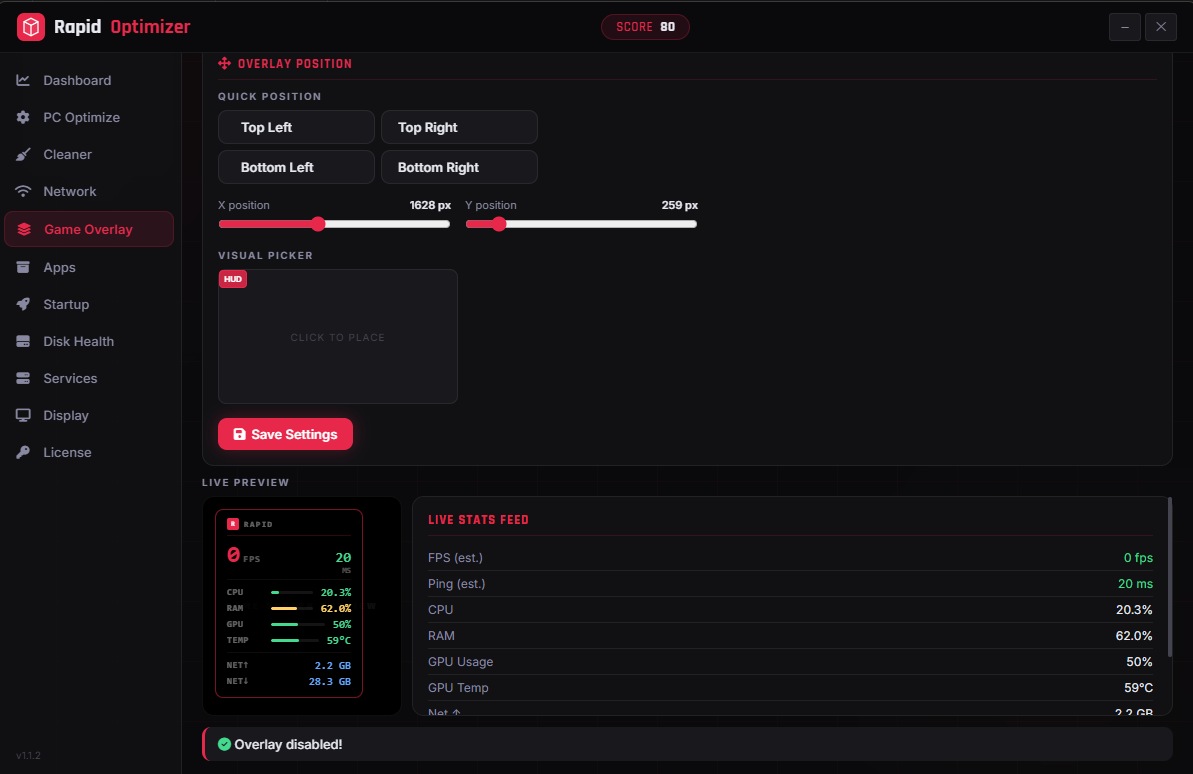
Configurable in-game HUD with live preview. Choose which stats to show, drag to any corner, and enable auto-detection for supported games.
S.M.A.R.T. health status for all physical drives with volume breakdown showing capacity, free space, and usage percentages.
Full Windows services table with start, stop, restart, and disable controls for every service on your machine.
DDC/CI display control with brightness, contrast, and refresh rate switching — direct hardware control without the OSD.
Uses Windows ETW (Event Tracing for Windows) to listen to Microsoft-Windows-DXGI and D3D9 provider events. Every Present call from your game increments an atomic counter. A 1-second ticker converts that into a true FPS value — no GPU polling, no hooks, no estimates.
Runs as a separate child process with its own Win32 message loop. Uses UpdateLayeredWindow with a 32-bit DIB and ULW_ALPHA for per-pixel transparency. The panel is ~82% opaque; the area outside is 100% transparent. Zero FPS impact on your game.
A background goroutine polls CPU, RAM, and network I/O every second via gopsutil and caches results. Both the UI and overlay read from this shared cache — never from live syscalls — keeping the UI thread and game loop fast at all times.
RapidOptimizer requests elevation via embedded manifest. Here is exactly what each privilege enables:
StartTraceW requires adminpowercfg requires elevationSet-MpPreference requires adminsc config requires elevationRapidOptimizer is free to download. Activate a license to unlock all features and keep your system running at peak performance.